If you only run one check before buying a PHP script, make it this one: is the code fully readable, or is it encrypted and phoning home to a licence server? That is where most scripts turn into expensive regrets. The demo looked fine and the price was fair, then the code would not run on a second domain, could not be patched, and stopped working when the seller's licence server went offline.
We sell scripts ourselves, so read this with that in mind. Every check below works just as well on our competitors, and we would rather you ran them on us too. Where our own store stands on each point, we say so plainly, including the parts that are not convenient for us.
Here is the short version:
| Check | Green flag | Red flag |
|---|---|---|
| 1. Encryption and licence locks | Full source, readable, no licence server needed | Core files protected, vague answers about ionCube |
| 2. Live demo | Working demo login, including the admin panel | Screenshots or a video only, demo coming soon |
| 3. Licence terms | Written terms: projects, resale and SaaS use spelled out | No terms page, licence explained differently each time |
| 4. Installation | Requirements list, setup guide, install help offered | Just upload and it works, no documentation |
| 5. Updates | Update period stated in writing, changelog visible | Updates unclear, every fix is a paid upgrade |
| 6. Support | A named human replies to a test question within a day | Contact form only, silence for three days |
| 7. Refunds and payment | Written refund conditions and a payment method you trust | No refunds ever, and payment is irreversible |
1. Is the source code encrypted or locked to a licence server?
Some sellers encrypt part of the code with tools like ionCube or SourceGuardian. A few files arrive as unreadable blobs that only run with a special loader installed on the server. Others are readable but call the seller's licence server on a schedule, and shut down if that server says so, or simply goes offline forever.
Why it matters: you cannot fix a bug in a file you cannot read. You cannot move to a new domain, patch a security hole, or hire a different developer to extend the product. You are renting, whatever the sales page called it.
- Ask directly: can my developer open and edit every PHP file?
- Ask what happens if the licence server is unreachable for a week.
- Ask whether moving domains means buying again.
Red flag: the seller calls encryption a feature and will not say which files are protected. Green flag: unencrypted source stated in plain writing. On our side: every product we sell ships as full, unencrypted source code. That is a deliberate choice.
2. Is there a live demo you can actually click through?
Screenshots prove almost nothing. They can be borrowed, mocked up, or taken from a version that was never released. A live demo is harder to fake, and it tells you things a feature list hides: how slow the admin panel feels, whether the mobile view works, and whether the buttons you will use daily do anything.
Do not just look at the landing page. Log in. Open the admin panel if demo credentials are offered. Create a record, edit it, delete it. Try the one workflow you would buy the script for, start to finish.
Red flag: demo coming soon for months, or a sales video instead of a working login. Green flag: demo credentials published on the product page and a demo that survives your clicking. Our product pages link to live demos for the same reason. Test them hard before you spend anything, ours included.
3. What exactly does the licence allow?
Licences in this market fall into three shapes. One project: you may run the script on a single end product. Unlimited: several projects under one purchase. Resale or SaaS: you may charge your own customers to use it, which is a different and more expensive right, and many cheap licences exclude it.
The only version that counts is the written one. Read the actual terms page before paying, not the summary on a banner. If the terms and the sales page disagree, believe the terms, and ask the seller to confirm in writing. Our own terms are published at our licence terms page, and that is the standard to hold any seller to: a public page you can re-read after purchase. For comparison, our Standard licence covers one end product, while Extended covers unlimited end products plus SaaS use on a single deployment.
Red flag: no terms page at all, or the seller promises resale rights in chat that the terms exclude. Green flag: boring, specific, written terms.
4. Does it include an installation guide, and will the seller install it?
A script you cannot install is worth nothing, and installation is where first-time buyers most often get stuck: PHP version, missing extensions, file permissions, a cron job nobody mentioned. Before buying, look for a requirements list that names the PHP and MySQL versions and any extensions needed. Then look for a step-by-step setup guide written for the current version.
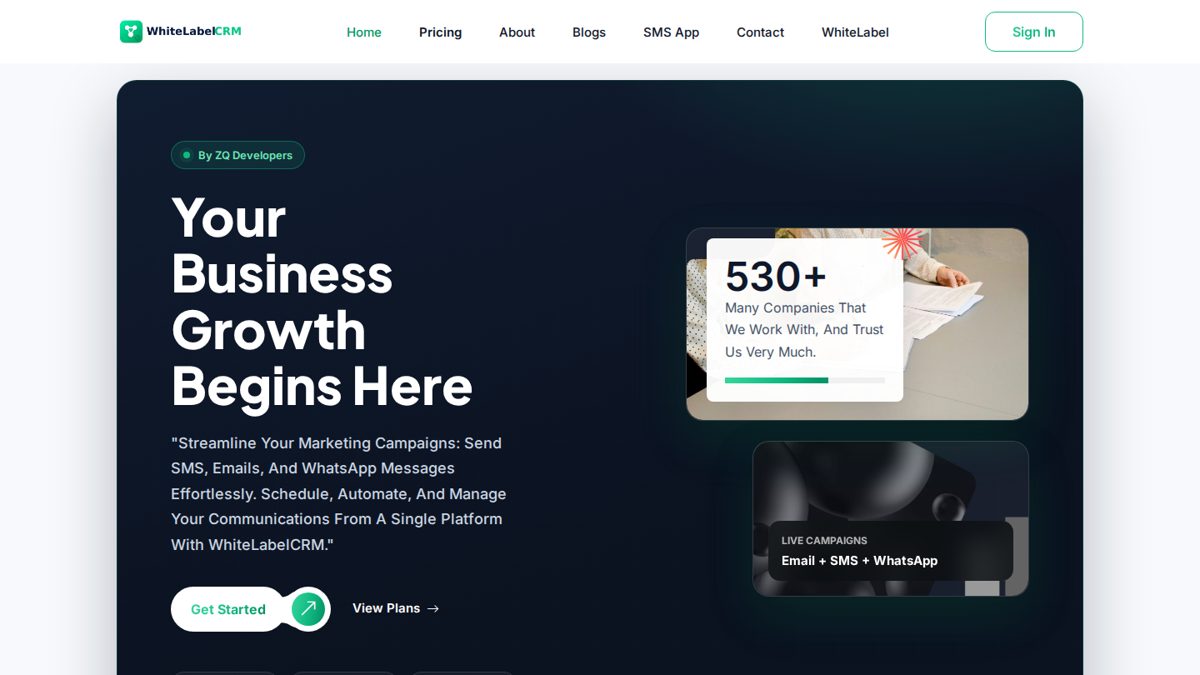
Some sellers install the product for you. That is worth money if you are not a server person. Take WhiteLabelCRM from our own catalogue as an example of how this should be stated: $999 one-time, full source code, one production domain, and free installation within 24 hours, all written on the product page.
Red flag: installation described as easy with no guide and no requirements list. Green flag: requirements, guide, and a clear answer on whether human install help exists.
5. Are updates included, and for how long?
PHP does not stand still. A script built for PHP 7.4 will eventually meet a host running PHP 8.3, and something will break. Browsers change, payment gateways change their APIs, and security issues get found in every codebase. The question is who pays for the fixes.
Sellers handle this differently. Six months of updates is common on marketplaces. Some charge a renewal fee after the first year. A few include lifetime updates. It changes the real price: a cheap script with paid yearly renewals can cost more over three years than an expensive one with updates included. A product that has shipped three updates in a year is alive. A product untouched since its release week is a risk, however polished it looks.
Red flag: the update period is nowhere in writing. Green flag: a stated period you can plan around. Ours is lifetime free updates on every product, stated on the product pages.
6. Can you reach a human for support, and how fast?
Test support before you buy, while the seller is still motivated to impress you. Send one specific pre-sale question: does it run on PHP 8.2, can it send through my SMTP provider, anything concrete. Then watch two things: how long the reply takes, and whether it answers the question you actually asked.
A useful reply within one working day is a good sign. A copy-pasted paragraph that ignores your question is information too. So is silence. If pre-sale questions take three days, imagine a broken checkout on a Friday night after you have paid.
Red flag: no direct channel at all, only an anonymous form. Green flag: a reachable human on a channel you already use. Our support is a person on WhatsApp at +92 333 4916432 and by email at contact@zqdevelopers.com. Message us a hard question before ordering. That is the test working as intended.
7. What is the refund policy if the product is materially broken?
Digital goods make refunds awkward, because the file cannot be returned. Reasonable policies use a fix-first structure: if the product is materially broken, meaning a core feature does not work as described, the seller gets a chance to fix it, and if they cannot, you get your money back within a stated window. Our own version of that is in our FAQ page: a refund if a product is materially broken and cannot be fixed, within 14 days.
Payment method matters here more than most buyers realise. Card and PayPal payments come with a dispute process. Crypto payments do not reverse, which makes the written policy the only protection you have. We will be straight about our own weak point: our checkout is Binance Pay in USDT only. If that does not suit you, that is a legitimate reason to buy elsewhere.
Red flag: no refunds under any circumstances, combined with an irreversible payment method. Green flag: conditions and a timeframe, in writing, on a page that stays up.
The habit that ties it together
None of these checks requires technical skill. They require twenty minutes and a stubbornness about getting answers in writing. The buyers who get burned are not careless; they are in a hurry, and sellers who rely on hurry know it.
One last warning, from experience: be careful with free copies of paid scripts from forums and file-sharing groups, the so-called nulled versions. These copies are a documented hiding place for backdoors and spam injectors, added by whoever repacked the file. A script that runs your business, your customers' data, or your payment flow is the worst possible place to save the purchase price.
When you are ready to compare actual products against this list, our full range is on the full catalogue page. Run the checks on us first. A seller who passes all seven, anywhere, has probably earned the sale.